Aller au contenu

410-CJR-LG

  • Déplier
    • Ouvrir une session sur un ordinateur du collège
    • Accéder à Colnet
    • Remettre un devoir sur Moodle
    • Sécurité et mots de passe
    • Captures d'écran
  •   WindowsDéplier
    • L’Explorateur de fichiers
    • Les disques durs de votre ordinateur
    • Créer une arborescence
    • Raccourcis essentiels de Windows
    • Mieux utiliser nos navigateurs
  • ThèmesDéplier
    • TechnologiesDéplier
      • HTML et CSS
      • JavaScript et moissonnage
      • L'IA à la rescousse
      • WordPress
    • Expérience utilisateurDéplier
      • Composantes d'une page web
      • Création de composantes avec la méthode des 3 C
      • Rédaction pour le Web
    • Site transactionnel
    • Infolettres
    • Médias sociaux
    • Analyse des résultats
  •   CoursDéplier
    • Semaine 1 : Les essentiels du Web
    • Semaine 2 : Les boites et la méthode des 3 C
    • Semaine 3 : Lancement d'une boutique en ligne
    • Semaine 4 : Fiches produits convaincantes
    • Semaine 5 : Commandes et inventaire
    • Semaine 6 : Analyse des résultats
    • Semaine 7 : Révision et renforcement
    • Semaine 8 : Examen intra (20 %)
    • Semaine 9 : Marketing sur les médias sociaux
    • Semaine 10 : Création et gestion de contenuDéplier
      • IA générative
    • Semaine 11 : Infolettres et marketing par courriel
    • Semaine 12 : Calendrier de publication
    • Semaine 13 : Service à la clientèle en ligne
    • Semaine 14 : Révision et renforcement
    • Semaine 15 : Examen final (25 %)
  • Ressources en ligne
  • Zotero 410-CJR
  • Glossaire
410-CJR-LG

Mastering WooCommerce
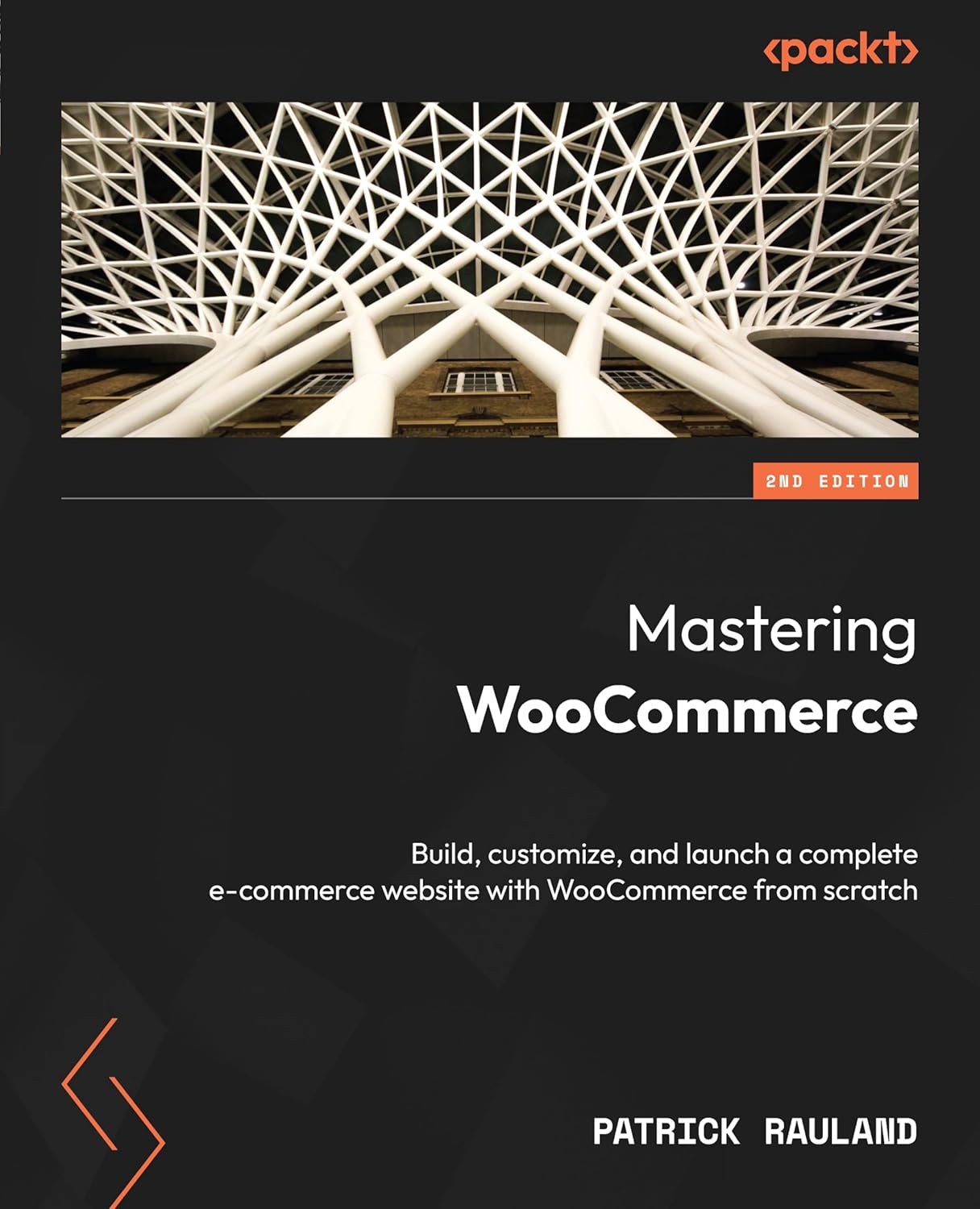
Mastering WooCommerce, 2nd Ed.
Catégories: Livres, Semaine 04
Étiquettes: Livres sur WooCommerce, Livres sur WordPress, ScholarVox
Sujets: Utilisés dans les cours, WooCommerce, WordPress
Publié: 2024
Édition: 2
Améliorez votre parcours de commerce électronique avec ce guide complet couvrant l'installation, la configuration des produits, la gestion des ventes, l'intégration des POS, l'optimisation de la vitesse, les thèmes, les pages de destination (ou de renvoi), les plugins, la sécurité, et bien plus encore.
Ouvrir le livre

Retour aux livres

Semaine 1 Bienvenue et fonctionnement

Semaine 2 Le modèle des boites et la méthode des 3 C

Mastering WooCommerce
Chapter 9 : Speeding Up Your Store
Optimizing content above the fold
Chapter 10 : Setting Up Your Theme

Semaine 3 Moissonnage du Web pour le marketing

Semaine 4 Lancer une boutique en ligne

Mastering WooCommerce
Chapter 1 : Installing WordPress and WooCommerce

Semaine 5 Créer des fiches produit qui vendent

Mastering WooCommerce
Chapter 2 : All About Configuring Products
Chapter 3 : Organizing Products
Chapter 11 : Customizing the Product Page

Semaine 6 Gérer les commandes et l'inventaire

Mastering WooCommerce
Chapter 5 : Managing Sales Through WP Admin
Chapter 6 : Syncing Product Data
Chapter 8 : Using Fulfillment Software

Semaine 7 Révision en vue de l'intra

Semaine 8 Examen intra

Semaine 9 Média sociaux et gestion de communauté

Semaine 10 Création de contenu engageant

Mastering WooCommerce
Chapter 12 : Building a Landing Page

Semaine 11 Tunnels de vente et service à la clientèle

Mastering WooCommerce
Chapter 4 : Attracting Traffic with Search Engine Optimization
Chapter 7 : Configuring In-Store POS Solutions

Semaine 12 Infolettres et marketing par courriel

Semaine 13 Calendrier éditorial et de promotion

Semaine 14 Révision en vue du final

Semaine 15 Examen final

Cover

Title Page

Copyright and Credits

Contributors

Table of Contents

Preface

Part 1 : Exploring the essentials of an ECommerce Store

Chapter 1 : Installing WordPress and WooCommerce

Technical requirements

New features in WooCommerce

WooCommerce Admin

WooCommerce Payments

WooCommerce blocks

HPOS

Importance of test sites

Migrating the files but not the database

Testing with a publicly accessible URL

Creating an ad-free experience

Jetpack without promotions

Disable marketplace suggestions

Making your own custom plugin

Installing WooCommerce

Setting your store address and store details

Payment settings

How many payment gateways?

Installing Stripe

Add tax rates

Get more sales

Personalizing your store

Summary

Chapter 2 : All About Configuring Products

Simple products

Product data fields

Optional fields

Inventory and stock

Shipping

Understanding taxonomies

Adding images

Product description and short description

A fully configured simple product

Variable products

Attributes

Variations

Editing individual variations

Images for variations

Multi-attribute variations

Troubleshooting variations

Digital products

Defining digital products

Downloadable but not virtual

Configuring virtual and downloadable products

Large downloadable files

Accessing downloads

Product bundles

Grouped products

Product bundles

Configurable bundles

Product kits

Subscriptions

Creating a subscription product

Adding a recurring payment option to a product

Subscription settings

Manual versus automatic renewals

Subscription switching

Synchronization

Retrying failed payments

Summary

Chapter 3 : Organizing Products

Technical requirements

Categorizing and tagging

Mutually exclusive and collectively exhaustive

Tagging products

Optimizing product archive pages

Writing descriptions for product categories

Context matters

Meta-description for categories

A pretty category description

URLs

Redirects in WordPress

Adding product filters to your Shop page

Hidden widgets

Active product filters

Understanding product blocks

Single product pages

Customizing product blocks

Featuring a product

The value of blocks

Summary

Chapter 4 : Attracting Traffic with Search Engine Optimization

Technical Requirements

Why you should invest in SEO

One-off marketing strategies

Always-on marketing

Keyword research for e-commerce

Creating a list of keywords

Comparing search volume

Optimizing for keywords

Configuring breadcrumbs for search engines and users

Adding custom PHP code

Using a plugin

Creating and sharing an XML sitemap

Submitting an XML sitemap to Google

Keeping an eye on Google Search Console

Summary

Part 2 : Managing an Online Store

Chapter 5 : Managing Sales Through WP Admin

Technical requirements

Fulfilling orders

Exploring new order notifications

New order badge in the site admin

Browsing orders

Viewing shipping information

Packing the boxes

Printing shipping labels

Dropping off packages

Marking orders as complete

Refunding orders and payments

Refund requests

Building a refund process

Viewing sales data

WooCommerce analytics

What sells

Gross profit

Taxes

Using third-party reporting platforms

Exploring Metorik

Pick one

Summary

Chapter 6 : Syncing Product Data

Exporting out of WooCommerce

Exploring a CSV file

Including content in a CSV file

Importing products via CSV

Importing a CSV

Integrating with an ERP

Finding an ERP

Configuring Finale Inventory

Importing products into ERP

Using an ERP

Summary

Chapter 7 : Configuring In-Store POS Solutions

Technical requirements

Setting up WooCommerce POS

Accepting credit cards

Setting up payment for Stripe

Selecting WooCommerce POS

Setting up Square

Connecting with Square

Setting up Square for WooCommerce

Syncing data

Syncing data in-store and with WooCommerce

Single database systems

Mastering synced databases via an API

Manually syncing data

Summary

Chapter 8 : Using Fulfillment Software

Sending and updating shipping information

Sending shipping data

Sending emails

Configuring webhooks

Building a custom integration

Updating data

Processing a daily email

Retrieving order data through a custom integration

Configuring Shippo

Signing up for Shippo

Configuring Shippo’s setup information

Fulfilling orders with Shippo

Configuring ShipStation

Integrating with ShipStation

Fulfilling packages with ShipStation

Printing pick lists

Using the ShipStation app

Summary

Chapter 9 : Speeding Up Your Store

Technical requirements

Monitoring speed and performance

Finding a starting point with GTmetrix

Web Vitals

Testing changes

Minifying CSS and JavaScript resources

Setting up Autoptimize

Concatenate files if necessary

Optimizing images

Optimizing images with Jetpack

Optimizing images with Imagify

Using the bulk updater

Caching and e-commerce

Configuring caching plugins

Configuring caching via HTACCESS

Page caching

Optimizing content above the fold

Summary

Part 3 : Customizing the Appearance and Functionality of Your Store

Chapter 10 : Setting Up Your Theme

Choosing a theme for WooCommerce

Exploring the Twenty Twenty-Four theme

Storefront

Exploring Astra

Rearranging the product page

Installing hook visualizers

Stop showing hooks

Browsing through code for actions

Demo – move the product price

Adding a product data tab

Installing a custom tab plugin

Adding a custom tab

Extensive customizations using child themes

Summary

Chapter 11 : Customizing the Product Page

Adding social proof (FOMO)

Setting up FOMO

Customizing notifications

Removing events

Adding a video tab

Installing a video tab

Adding an extra tab

Displaying 360-degree images

Installing WooCommerce 360° Image

Adding 360-degree images to products

Summary

Chapter 12 : Building a Landing Page (pages de renvoi ou de destination, semaine 10)

Building a long-form landing page

Creating a new page

Understanding the structure of a landing page

Add content to a landing page

Adding e-commerce to a landing page

Adding a featured product

Adding an add-to-cart button

Finding the product ID

Adding the button

One Page Checkout

Measure and test everything

An overview of a CRO experiment

Setting up scroll maps and heatmaps

Summary

Chapter 13 : Creating Plugins for WooCommerce

Technical requirements

Building a basic WooCommerce plugin

Creating a plugin

Checking whether WooCommerce is active

Customizing order statuses

Using the WooCommerce example plugin

Registering a post status and adding it to WooCommerce

Building a settings page with WooCommerce

Creating the main integration file

Creating the Integration child class

Creating a constructor

Adding field settings

Summary

Chapter 14 : Next Steps with WooCommerce

Technical requirements

Why and how to make your WooCommerce store accessible

Inclusivity

Legal liability

Business benefits

Prepare for demographic trends

How to make your store accessible

Keeping WooCommerce safe and secure

Check your hosting before you launch

Use an SSL certificate

Keep WordPress core and plugins up to date

Keep your version of PHP supported

Two-factor login for administrators

Scan for downtime

Staying up to date with WooCommerce and open source software

Follow the Developer Blog

Annual conferences

Contributing to WooCommerce

Office hours

Summary

Index

Other Books You May Enjoy

410-CJR-LG

© 2026 Marc Gagnon
Creative Commons BY-NC-CA

    • Ouvrir une session sur un ordinateur du collège
    • Accéder à Colnet
    • Remettre un devoir sur Moodle
    • Sécurité et mots de passe
    • Captures d'écran
  •   Windows
    • L’Explorateur de fichiers
    • Les disques durs de votre ordinateur
    • Créer une arborescence
    • Raccourcis essentiels de Windows
    • Mieux utiliser nos navigateurs
  • Thèmes
    • Technologies
      • HTML et CSS
      • JavaScript et moissonnage
      • L'IA à la rescousse
      • WordPress
    • Expérience utilisateur
      • Composantes d'une page web
      • Création de composantes avec la méthode des 3 C
      • Rédaction pour le Web
    • Site transactionnel
    • Infolettres
    • Médias sociaux
    • Analyse des résultats
  •   Cours
    • Semaine 1 : Les essentiels du Web
    • Semaine 2 : Les boites et la méthode des 3 C
    • Semaine 3 : Lancement d'une boutique en ligne
    • Semaine 4 : Fiches produits convaincantes
    • Semaine 5 : Commandes et inventaire
    • Semaine 6 : Analyse des résultats
    • Semaine 7 : Révision et renforcement
    • Semaine 8 : Examen intra (20 %)
    • Semaine 9 : Marketing sur les médias sociaux
    • Semaine 10 : Création et gestion de contenu
      • IA générative
    • Semaine 11 : Infolettres et marketing par courriel
    • Semaine 12 : Calendrier de publication
    • Semaine 13 : Service à la clientèle en ligne
    • Semaine 14 : Révision et renforcement
    • Semaine 15 : Examen final (25 %)
  • Ressources en ligne
  • Zotero 410-CJR
  • Glossaire
Rechercher